
How to Recharge StarMaker Using Google Pay: A Complete Step-by-Step Guide
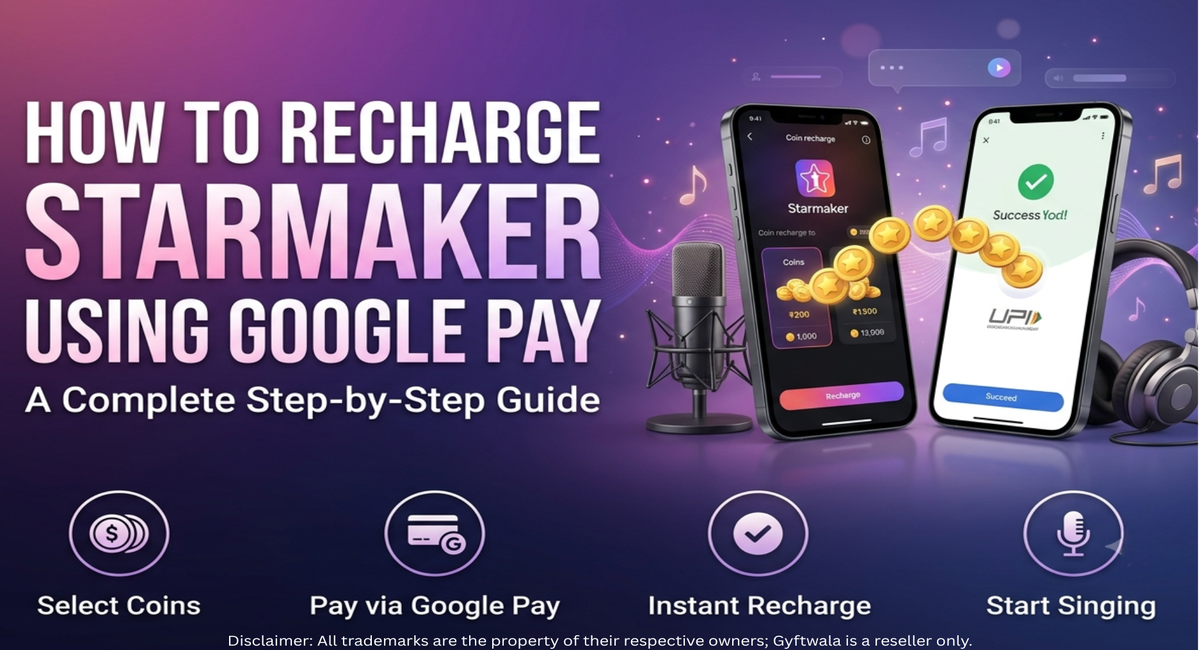
If you love singing, hosting live rooms, or supporting your favorite creators on StarMaker, you already know how important coins are. Whether you want to send virtual gifts or unlock premium features, having enough StarMaker Coins makes the experience so much better. The good news? You can now recharge StarMaker using Google Pay quickly and securely through Gyftwala.
In this guide, we'll walk you through everything you need to know about StarMaker Google Pay recharge — from why it matters to exactly how to do it in a few simple taps.
What Is StarMaker and Why Do You Need StarMaker Coins?
StarMaker is a popular singing and karaoke app that lets users perform, connect with fans, and join live rooms with other creators. Coins are the app's virtual currency, and they play a big role in how you engage with the community.
What Are StarMaker Coins Used For?
Sending virtual gifts to singers you enjoy watching
Supporting your favorite creators during live performances
Unlocking premium features like special effects and tools
Enhancing the karaoke experience with better song access and perks
Without coins, your experience on StarMaker can feel pretty limited. That's why so many users look for a fast, reliable way to buy StarMaker Coins online.
Can You Recharge StarMaker Using Google Pay?
Yes! Recharging StarMaker Coins using Google Pay is not only possible, it's one of the easiest and most convenient payment options available today, especially for users in India.
Benefits of Using Google Pay for StarMaker Recharge
Fast UPI payments that take just seconds to process
Secure transactions backed by encrypted payment technology
Easy checkout with no complicated steps
Widely used payment method in India, so most users already have it set up
Instant payment confirmation, so you're never left wondering
How to Recharge StarMaker Using Google Pay
Ready to top up? Here's a simple, beginner-friendly breakdown of the entire process.
Step 1: Visit the Gyftwala StarMaker Recharge Page
Head over to the Gyftwala StarMaker Global Top-Up page to get started.
Step 2: Select Your Preferred Coin Package
Choose from a range of StarMaker coin packages based on how much you'd like to recharge.
Step 3: Enter Your StarMaker User ID
Carefully enter your correct StarMaker User ID so your coins land in the right account.
Step 4: Choose Google Pay as Your Payment Method
At checkout, simply select Google Pay as your preferred payment option.
Step 5: Complete the Payment
Confirm the transaction through your Google Pay app using UPI, and you're almost done.
Step 6: Receive Your StarMaker Coins Instantly
Once the payment is verified, your StarMaker Coins are delivered to your account instantly.
Why Choose Gyftwala for StarMaker Recharge?
Instant Coin Delivery
Your StarMaker Coins arrive almost immediately after successful payment.
Secure Payment Gateway
Gyftwala uses trusted, encrypted payment systems to keep your transactions safe.
Competitive Pricing
Enjoy affordable rates on every StarMaker Coins top up.
Simple Recharge Process
No complicated steps, no confusing menus, just a smooth checkout experience.
Trusted Platform for Digital Top-Ups
Gyftwala has built a reputation as a reliable destination for StarMaker Coins India and global recharges alike.
Tips for a Smooth StarMaker Recharge
Verify Your StarMaker User ID
Double-check this before confirming your order.
Choose the Correct Coin Package
Pick the package that matches your usage needs.
Keep Your Payment Confirmation
Save your receipt in case you need it for reference.
Recharge Only Through Trusted Platforms
Stick to platforms like Gyftwala for a safe experience.
Note: Ensure your StarMaker User ID is correct before confirming your order. Successfully delivered coin recharges are generally non-refundable.
Common Google Pay Recharge Issues and How to Fix Them
Payment Failed
Check your internet connection and UPI balance, then retry the transaction.
Payment Pending
Wait a few minutes, as UPI confirmations can occasionally take a little longer.
Coins Not Received
Contact Gyftwala support with your payment confirmation for quick resolution.
Incorrect User ID Entered
Reach out to support immediately so the issue can be corrected before delivery.
Frequently Asked Questions
Can I recharge StarMaker using Google Pay?
Yes, Google Pay is fully supported for StarMaker recharge on Gyftwala.
Is Google Pay safe for StarMaker recharge?
Absolutely. Google Pay uses secure UPI encryption for every transaction.
How long does StarMaker coin delivery take?
Most recharges are delivered instantly after payment confirmation.
Can I recharge StarMaker without sharing my password?
Yes, you only need your StarMaker User ID, not your password.
What details are required to recharge StarMaker Coins?
Just your correct StarMaker User ID and chosen coin package.
Can I recharge StarMaker from India?
Yes, Gyftwala supports StarMaker Coins India and global recharges.
Is there any extra fee for paying with Google Pay?
No hidden fees, the price you see is the price you pay.
What should I do if my recharge is delayed?
Simply contact Gyftwala's support team with your payment details.
Related Guide
Want to get even more out of your coins? Check out our detailed How to Use StarMaker: Beginner's Guide & Coin Recharge Tips to learn how to make the most of your StarMaker experience.
Recharge StarMaker Coins Instantly With Gyftwala
Ready to level up your StarMaker experience? Visit Gyftwala today and buy StarMaker Coins securely using Google Pay. Enjoy a fast, hassle-free recharge experience with multiple coin packages to choose from. For even quicker future purchases, create your Gyftwala account in just a few clicks.